
RESTAURANT TECHNOLOGY · CLOUD INFRASTRUCTURE · POS SYSTEMS
The Restaurant Tech Ripple Effect: Why Your Kitchen Shouldn't Depend Entirely on Big Tech's Cloud
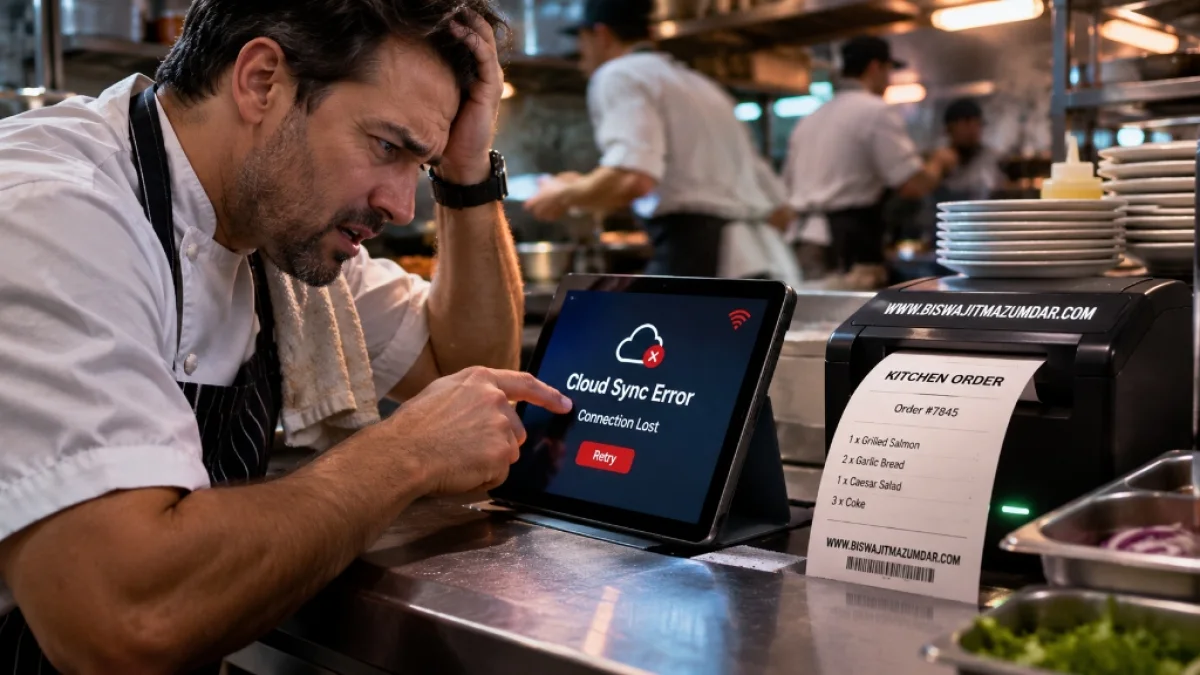
Imagine it's Friday evening. Your restaurant is busy, tables are occupied, takeaway orders are coming in, and the kitchen is already working at full capacity.
Suddenly, the POS terminal displays a connection error.
The online ordering dashboard stops updating. A delivery tablet isn't communicating with the restaurant's system. Your kitchen display isn't showing the latest orders.
Your staff start asking questions. Someone checks the router. Someone else restarts a terminal. Meanwhile, customers are still waiting.
The problem might be a local internet connection. It might be the POS provider's cloud infrastructure. It might be a third-party ordering integration.
Whatever the cause, the result can be the same: the restaurant's digital workflow becomes unreliable at exactly the moment it needs to work.
The November 2026 Microsoft outage made me think about this problem from another angle. When Outlook, Teams, SharePoint, and other Microsoft 365 services experienced a major disruption, businesses across multiple countries discovered how much of their everyday operations depended on interconnected cloud services (see my earlier architectural breakdown on cloud dependency risks and business continuity lead capture).
I'm Biswajit Mazumdar, a web developer and technical architect working across custom PHP applications, SaaS development, and restaurant technology. Through my work with Digital Menu Maker, I've developed a particular interest in how digital infrastructure supports restaurant operations.
There's one question I believe every restaurant owner should ask before choosing a POS or online ordering system:
What continues working when the cloud connection disappears?
The Microsoft Outage Was a Warning About Technology Dependencies
The Microsoft 365 disruption of November 12–14, 2026, affected multiple services, including Outlook, Exchange Online, Teams, SharePoint, and Microsoft Copilot.
Microsoft's published incident updates identified an issue associated with an earlier network-capacity upgrade that surfaced following a subsequent network change. The company gradually restored affected services while monitoring infrastructure stability and delayed email processing.
The Associated Press also reported widespread disruption across businesses, government organizations, healthcare, aviation, and other sectors.
Sources: Associated Press — Microsoft global outage and Microsoft 365 incident updates.
Now, Microsoft 365 and restaurant POS systems are not the same products, and the Microsoft incident does not establish that restaurant POS providers were affected by that particular outage.
But the architectural lesson applies to both.
Modern businesses depend on interconnected services. An application may look like one simple interface to the customer, while several external systems are working behind the scenes.
When one critical dependency becomes unavailable, other connected functions can be affected.
For restaurants, those dependencies might include:
- Cloud-hosted POS infrastructure.
- Third-party delivery marketplaces.
- Online ordering platforms.
- Payment-processing providers.
- Reservation systems.
- Kitchen display integrations.
- Cloud-based menu management.
The problem isn't using cloud technology. The problem is not understanding what happens when one of these services fails.
Does a Cloud POS Outage Actually Stop the Kitchen?
This is where I want to make an important distinction.
Not every cloud POS system behaves the same way during an outage.
Some systems provide offline functionality that allows restaurant staff to continue taking in-store orders even when the internet connection or cloud service is unavailable.
Toast is a useful example.
According to its official documentation, Toast Offline Mode can allow restaurant staff to:
- Continue entering new in-store orders.
- Accept certain card payments when the required offline processing settings are enabled.
- Print receipts when the required connections remain available.
- Send in-store tickets to a compatible, hardwired Kitchen Display System.
Toast also documents specific requirements and limitations, including the configuration of the local network and connected devices.
You can read the details in Toast's official Offline Mode documentation.
So, no, it would be inaccurate to say that every cloud POS failure automatically stops all kitchen operations.
However, there is a major limitation.
Toast explicitly states that its online ordering service is unavailable while the restaurant is operating in Offline Mode. New online orders cannot reliably reach the restaurant's offline system through that channel.
Third-party orders can also be affected when either the POS provider or the ordering partner experiences an outage.
Sources: Toast Online Ordering outage behaviour and Third-party ordering disruptions.
This distinction is important for a restaurant owner.
Your in-store POS might continue operating while your website ordering, external delivery connections, or cloud-dependent workflows stop receiving new information.
That's the kind of operational gap I would investigate before choosing a technology stack.
The Restaurant Tech Ripple Effect
A restaurant's technology environment is usually made up of several connected components.
Consider a simplified ordering process:
- A customer visits the restaurant's website.
- The customer opens the digital menu.
- The customer selects food and submits an online order.
- The payment provider processes the payment.
- The ordering application records the order.
- The POS or ordering integration receives the order.
- The kitchen receives the ticket through a display or thermal printer.
That looks like one simple customer journey.
Technically, however, several components must communicate successfully.
Imagine the ordering platform experiences a service disruption. The restaurant's physical kitchen equipment might still be working perfectly, but incoming online orders may no longer reach the system.
Or perhaps the POS is operating locally, but its external delivery integration is unavailable.
The printer might have power, paper, and a working network connection, yet receive no new tickets because the application responsible for sending them cannot communicate with the POS.
This is what I mean by the ripple effect.
A failure in one connected component can affect other parts of the restaurant's digital operation.
I would rather identify those dependencies during development than wait for a busy restaurant to discover them during an actual disruption.
Why I Find Independent Ordering Architecture Interesting
When I consider a custom restaurant ordering system, I don't want the entire workflow unnecessarily dependent on one external platform.
My preference is to keep the application's core responsibilities clearly separated.
For example:
- The website should handle the customer-facing experience.
- The backend should validate orders and manage business logic.
- The database should maintain authoritative order records.
- The payment provider should handle payment processing.
- The notification layer should communicate order events.
- The local restaurant infrastructure should handle printing or displaying orders where supported.
This approach makes it easier to identify where a failure has occurred and what functionality can continue operating.
A modular PHP application can be a practical option for this type of architecture. PHP can handle the application logic and database interactions, while HTML, CSS, and Vanilla JavaScript provide the customer interface.
But I want to be clear about something: putting an application in custom PHP does not automatically make it independent of the cloud.
If the website backend is hosted on a single cloud server and that server becomes unavailable, online ordering may still stop.
If the restaurant loses internet connectivity, customers outside the building may also be unable to reach that application.
The real objective is to design independent components and sensible fallback procedures—not simply replace one vendor with another.
Direct Thermal Printer Integration: Why ESC/POS Matters
This is one of the technical areas I find particularly interesting in restaurant application development.
Most restaurants are familiar with thermal receipt printers. They are used for kitchen tickets, receipts, order summaries, and other operational tasks.
Many POS printers support ESC/POS, a command system used to control compatible printers.
Epson provides an official ESC/POS Command Reference covering printing commands, text formatting, paper handling, status requests, and other printer functions.
The interesting part is connecting that printer functionality to a custom ordering application.
Instead of relying entirely on a third-party POS integration to move an order to the kitchen, a properly designed application can use a local printing component to send compatible order tickets to a thermal printer.
I would approach that architecture in several stages:
1. The customer places an order
The customer browses the restaurant's website, selects the available items, and submits the order.
The server validates the selected products, prices, quantities, availability, and order details.
2. The application records the order
The order is stored in the application's database before downstream processing begins.
A unique order identifier and processing status make it possible to track what has happened.
3. The order event enters a delivery queue
After the order is accepted and the applicable payment state is confirmed, the application creates a print job or notification event.
This should be handled separately from the initial customer request. If the printer is temporarily unavailable, the order record should not disappear.
4. A local print agent communicates with the kitchen printer
This is the part I would design carefully.
A thermal printer inside a restaurant's private network is not normally directly reachable from an ordinary public cloud server.
A local print agent or bridge can solve that communication problem.
The agent runs on an appropriate device inside the restaurant's network and communicates securely with the ordering backend through an outbound connection or controlled polling mechanism.
It receives the authorized print job, checks its order identifier, and sends compatible ESC/POS commands to the selected printer.
5. The application records the printing result
The local agent reports whether the job was successfully processed or whether it needs to be retried.
The system should prevent duplicate printing when the same event is delivered more than once.
It should also detect printer errors such as a disconnected device, paper-out condition, or communication failure where the hardware supports status reporting.
This provides a more controlled path between the online ordering application and the restaurant's kitchen equipment.
Can a Thermal Printer Keep Working When the Cloud Goes Down?
Potentially, yes, but only when the surrounding architecture supports it.
A local thermal printer connected to a local print agent can continue handling jobs that are already available locally. An existing local POS or ordering system may also have its own offline order-entry and printing capabilities.
However, a cloud-hosted ordering backend cannot receive a new online order while that backend is unreachable.
Similarly, a cloud webhook cannot magically deliver a new event to a private restaurant network when the restaurant has lost its external connection.
This is why I would distinguish between normal online operation and an outage fallback.
A resilient architecture might include:
- A primary online ordering backend.
- Persistent database records for accepted orders.
- A notification queue with retry handling.
- A local print agent connected to compatible kitchen printers.
- Local order handling for supported in-store operations.
- A documented fallback procedure when internet or cloud connectivity fails.
For a restaurant that needs to accept new orders during a wider cloud outage, we would need to consider an additional locally available ordering path or an appropriate offline-capable POS workflow.
Payments also need separate consideration. Online card payments depend on the payment provider and connectivity available to the transaction. A locally stored print job does not make an unavailable payment gateway operational.
The details matter. That is why I would never promise that a thermal-printer integration makes an entire restaurant ordering system outage-proof.
What it can do is reduce unnecessary dependencies between the order-management system and the physical kitchen equipment.
Zero-Commission Direct Ordering: Understand the Full Cost
There is another reason I find independent restaurant ordering systems worth exploring.
Some restaurants want customers to order directly through their own website rather than relying exclusively on third-party marketplaces.
That can be a sensible approach for repeat customers, particularly when the restaurant wants more control over its customer journey.
A direct ordering system may avoid marketplace commission on eligible orders, depending on the ordering arrangement (see my deep dive on direct ordering ROI and math).
But zero marketplace commission does not mean zero operating cost.
The restaurant may still pay:
- Payment-processing fees.
- Website hosting and infrastructure costs.
- Ordering application maintenance.
- Delivery and fulfillment expenses.
- Marketing costs to attract direct customers.
- Technical support and integration expenses.
The important question is whether direct ordering provides a better overall business outcome after those expenses are considered.
For some restaurants, retaining marketplace visibility while developing a separate direct ordering channel may be more practical than abandoning third-party platforms completely.
I would always compare the actual costs before recommending a particular arrangement.
Where Digital Menu Maker Fits Into My Restaurant Technology Work
My experience developing Digital Menu Maker is closely connected to this area.
Digital Menu Maker is a hospitality-focused SaaS platform developed by me and JESASTIC. Its functionality covers QR code menus, digital menu boards, restaurant websites, menu management, and hospitality marketing tools.
Working on hospitality technology encourages me to look at the complete customer experience.
A menu must be easy to browse. Information needs to be manageable. The website should work properly on a mobile device. And if ordering functionality is introduced, the workflow must connect reliably to whatever system the restaurant uses to prepare and fulfill orders.
The menu, website, ordering system, and kitchen equipment should be treated as related components with clearly defined responsibilities.
A restaurant may not need every component in a custom-built system. Sometimes an existing POS with good offline support is the better choice.
Other businesses may benefit from a more independent website and ordering architecture.
The technology should follow the restaurant's requirements, not the other way around.
Questions I Would Ask Before Choosing a Restaurant POS System
Before recommending a cloud POS or a custom ordering solution, I would want clear answers to these questions:
- Can staff continue entering in-store orders when the internet connection fails?
- Can accepted card payments be processed offline, and under what conditions?
- Can kitchen tickets still print when the cloud service is unavailable?
- Does online ordering stop accepting new orders during an outage?
- What happens to orders already submitted but not yet delivered to the kitchen?
- Can the restaurant export its menu, customer information, and order records?
- Is there a supported API for external ordering or printer integration?
- What is the documented recovery procedure after connectivity returns?
- Can the staff operate the system without depending on a single external dashboard?
I would also ask the provider for its actual offline-mode documentation and test the configuration before relying on it during a busy service period.
Don't wait until Friday evening to discover what your POS system can and cannot do without the internet.
Frequently Asked Questions
What happens to a restaurant kitchen when a cloud POS system goes offline?
It depends on the POS provider and its offline capabilities. Some systems can continue handling in-store orders and printing kitchen tickets through a local network. Cloud-dependent features such as online ordering, external delivery integrations, or remote management may become unavailable. Restaurant owners should check the provider's offline documentation and test their actual configuration.
Can a custom restaurant website print orders directly to a thermal printer?
Yes, when the printer supports an appropriate interface and the application has a compatible printing component. A common architecture uses a backend order queue and a local print agent that communicates with compatible ESC/POS thermal printers. The exact implementation depends on the printer model, network configuration, software, and supported commands.
Can ESC/POS thermal printing continue working during an internet outage?
A locally connected thermal printer and local printing application can continue processing jobs that are already available on the restaurant's local network. However, a cloud-based website cannot receive new online orders while its backend or internet connection is unavailable. Continued operation requires an appropriate local ordering or POS fallback.
Build Restaurant Technology That Knows What to Do When Something Fails
I don't believe restaurants should abandon cloud POS systems or third-party ordering platforms simply because outages happen.
These technologies provide real value, and many have useful offline features that restaurant owners should understand before making a decision.
But I do believe the architecture behind a restaurant's digital operation deserves more attention.
Your website, menu, ordering system, payment processing, and kitchen equipment should not become one complicated dependency where a problem in a single external service creates unnecessary disruption everywhere else.
Custom development, modular PHP applications, local printer integrations, persistent order queues, and carefully planned fallback workflows can provide more control when they are designed and implemented correctly.
A reliable restaurant technology system isn't one that never experiences an outage. It's one that understands what to do when an outage happens.
If you're planning a restaurant website, digital menu system, or more independent ordering architecture, explore my professional web development and technology services.
You can also explore Digital Menu Maker to learn more about my work in hospitality technology.
Need a Resilient, Zero-Commission Restaurant Architecture?
Eliminate 30% delivery app fees, take control of your customer data, and build an ordering system that communicates directly with your kitchen hardware.
Connect directly with Senior Web Architect Biswajit Mazumdar to engineer a sub-200ms custom PHP ordering engine with ESC/POS kitchen thermal printing.
Request a Restaurant Architecture Consultation →