
WEB ARCHITECTURE · BUSINESS CONTINUITY · LEAD MANAGEMENT
When Outlook and Teams Go Down: Why Your Website Shouldn't Lose Business Leads
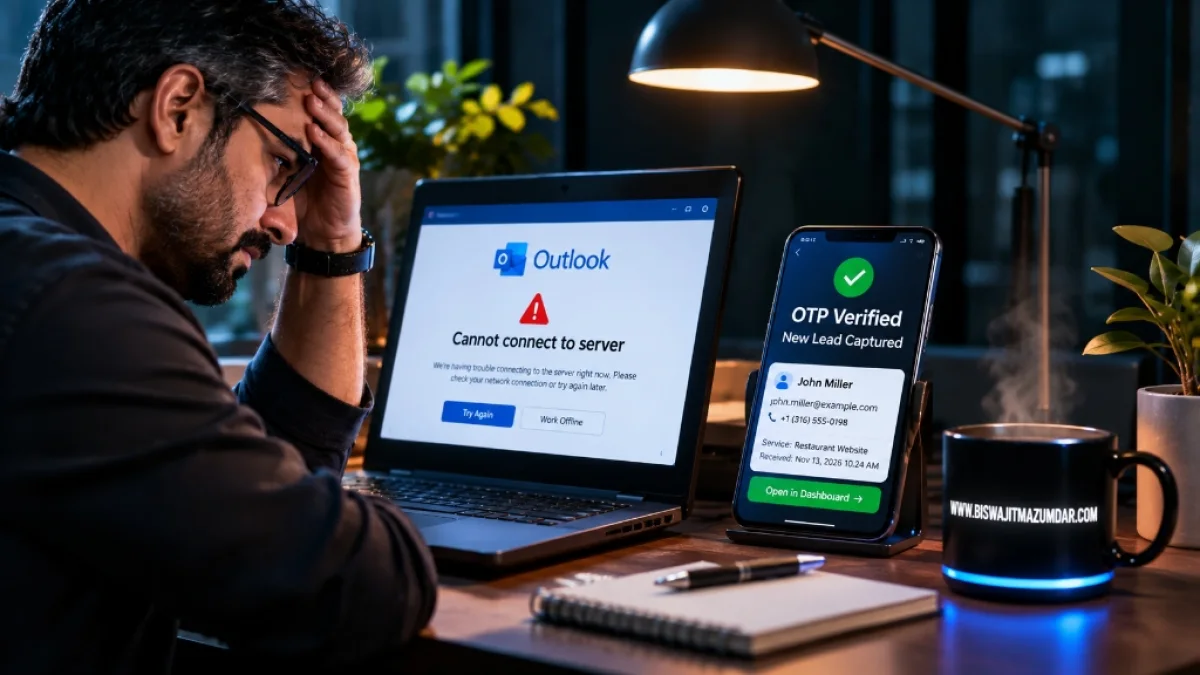
Imagine a potential customer visiting your website, filling out your contact form, explaining exactly what they need, and clicking Submit.
Everything looks normal on their screen. But your email notification never arrives.
You don't know someone contacted you. The customer assumes you've received the enquiry. Several hours pass, and neither side knows what happened.
Now imagine this happening during a major global email and communication outage.
That is a business continuity problem that deserves considerably more attention than most website owners give it.
The November 2026 Microsoft disruption made this concern particularly relevant. Outlook, Teams, Exchange Online, SharePoint, and other Microsoft 365 services experienced widespread problems across multiple regions. Businesses, government organizations, airlines, and other institutions reported communication difficulties.
The Associated Press reported that outage complaints came from more than 70 countries and territories. Microsoft subsequently confirmed that the underlying issue involved an earlier network-capacity upgrade and a later network change.
You can read the Associated Press coverage of the Microsoft outage and my architectural breakdown on cloud dependency lessons from the outage.
I'm Biswajit Mazumdar, a web developer and technical architect working across custom PHP applications, SaaS development, website infrastructure, and technical SEO.
When I look at incidents like this, I don't just think about whether an email service is available. I think about what happens to every business process that depends on it.
In particular, I think about one question: should receiving an email notification be the condition for successfully capturing a business enquiry?
My answer is no.
The Real Problem: Businesses Have Confused Email Notifications With Lead Management
Think about how a typical small business website handles enquiries.
A visitor opens the contact page, enters their name, email address, phone number, and message, and submits the form.
The website sends an email notification to the business owner.
The owner opens Outlook, reads the message, and responds.
It is a familiar process. It also creates a dependency that many business owners don't think about.
What happens if the email notification fails?
In a poorly designed implementation, the entire submission might be treated as unsuccessful simply because the email could not be sent.
Or perhaps the form displays a success message even though the notification was never delivered and the application didn't retain a reliable copy of the enquiry.
Those are two different implementation problems, but they share the same architectural weakness: the system treats email delivery as the primary record of the enquiry.
I prefer separating these responsibilities.
A website should capture and securely store an enquiry first. Email should be one of the ways the business is informed about that enquiry.
The lead itself and the notification about that lead are two different things.
Why Depending on a Single Communication Ecosystem Is Risky
Most businesses use several cloud services together:
- Microsoft Outlook for business email.
- Microsoft Teams for internal communication.
- SharePoint and OneDrive for documents.
- Cloud-based CRM systems for customer information.
- Third-party email services for automated website notifications.
- External APIs for business automation and integrations.
There is nothing inherently wrong with this arrangement. Managed services save time, reduce infrastructure responsibilities, and provide capabilities that would otherwise require substantial development.
I use cloud services and external APIs in my own development work too.
The problem appears when an organization has no alternative route for an essential business process.
For example, a website might successfully receive an enquiry but depend on Microsoft-hosted email for every notification.
If the application is functioning but the notification provider is unavailable, the enquiry should not disappear simply because an external email service has a problem.
Similarly, if employees rely exclusively on Teams to communicate internally, they need an alternative way to coordinate essential work during an outage.
The November Microsoft incident also demonstrated that service dependencies can extend across several applications. The outage affected multiple Microsoft 365 services, rather than being limited to a single inbox.
This is why I consider dependency mapping an important part of application architecture.
Before building a system, identify which external services it needs, what happens when each becomes unavailable, and which business functions should continue operating.
My Approach: Database-First Lead Capture
If I were designing a business-critical contact form, I would not make the email notification the first and only destination for the submitted information.
I would design the process around persistent server-side storage.
Here is the general workflow I prefer:
Step 1: The customer submits the form
The visitor enters their details through a website form. The browser sends the submission to the application's backend using a secure request.
At this stage, the server validates the submitted information, checks the fields, applies spam-protection rules, and prepares the enquiry for storage.
Step 2: The server stores the enquiry
The application saves the enquiry to its database.
For a small business application, a properly designed MySQL database can store information such as:
- Submission ID.
- Customer name.
- Email address.
- Telephone number.
- Enquiry subject and message.
- Submission timestamp.
- Verification status, where applicable.
- Notification delivery status.
The important part is that the application confirms successful storage before considering the enquiry captured.
If the database transaction fails, the website should not falsely tell the customer that everything has been safely received.
Step 3: The website acknowledges the submission
After successful storage, the website can display a confirmation message to the visitor.
The message should accurately describe what happened. It can confirm that the enquiry was received without promising that a human has already read or responded to it.
Step 4: Email notification happens separately
Now the application can attempt to notify the business owner.
This notification can use an independent transactional email provider rather than relying exclusively on the company's primary Microsoft 365 mailbox.
If the email provider is temporarily unavailable, the stored enquiry remains available.
The notification can be retried when the service becomes available again.
This is the distinction I want to emphasize:
A successful database write should not be undone merely because a subsequent email notification failed.
Why OTP Verification Needs Its Own Architecture
Some businesses need stronger protection against fake submissions, automated spam, or misuse of contact forms.
One option is an OTP-based verification process.
However, OTP verification introduces another external dependency if the code is delivered through email or SMS.
Imagine sending an OTP to an Outlook email address during an email-service disruption. The customer may be unable to receive the verification message.
The verification process could become the very bottleneck we were trying to avoid.
That is why I would consider the complete verification workflow before implementing OTP.
Depending on the project's requirements, the architecture could include:
- Server-side input validation.
- Honeypot fields and appropriate rate limiting.
- CAPTCHA or other anti-automation protection where justified.
- Temporary submission records with a pending-verification status.
- OTP delivery through an appropriate independent provider.
- Expiration and attempt limits for verification codes.
- Final verification and status updates in the database.
The choice between email OTP, SMS OTP, and other verification methods should be based on the actual risk and user experience requirements.
I would not add OTP to every ordinary contact form simply because it sounds more secure. Additional verification can create friction and prevent genuine customers from completing an enquiry.
Security should solve a real problem without unnecessarily making the website difficult to use.
Why I Prefer a Structured Database Over Relying on Email Storage
There is another architectural point worth discussing.
A business enquiry is structured information. It shouldn't exist only as an email sitting inside an inbox.
A database makes it possible to organize enquiries, assign identifiers, track notification status, search records, and build a proper lead-management workflow.
For a modest custom PHP application, MySQL is often a practical choice.
A flat-file storage mechanism can be suitable for certain small, low-volume applications, but I wouldn't automatically recommend it for critical lead data. Concurrent submissions, file locking, backup consistency, access control, and recovery need to be handled properly.
A relational database generally provides a more suitable foundation when the application needs transaction handling, structured queries, and a growing number of records.
There is also an important distinction between having a separate database and having an independent infrastructure.
If the website and database are hosted on the same server, a complete server failure can make both unavailable.
For a genuinely resilient arrangement, the application may need an independently hosted database, replicated backups, or a secondary recovery environment, depending on its availability requirements.
The right architecture depends on the business's risk, budget, data sensitivity, and recovery requirements.
What Happens When the Database or Website Server Goes Down?
I don't want to suggest that database-first lead capture makes an application immune to every outage.
It doesn't.
If the website's application server becomes unavailable, visitors may not be able to submit the form. If the database becomes unavailable, the application may be unable to store a new enquiry.
That is a different problem from an email notification failure.
For businesses that need stronger availability, I would consider several additional measures:
Independent backups
Keep regular database backups outside the primary production environment. Test the restoration process rather than assuming the backups are usable.
Separate notification infrastructure
Use a transactional email provider that is operationally independent of the primary corporate email environment.
Queued notification processing
Store pending notification jobs and retry failed deliveries safely. A notification should not be lost because a temporary provider error occurred.
Monitoring and alerting
Monitor application availability, database connectivity, notification failures, and unusual submission patterns.
Alternative contact channels
Maintain an appropriate alternative contact route, such as a business telephone number. For some businesses, a status page hosted independently from the main application may also be useful.
If a business requires continued form submissions during a complete hosting-provider outage, a secondary application endpoint or failover environment must be designed and tested. Merely storing data in a separate database does not make an unavailable website operational.
How I Would Build a More Resilient PHP Contact System
For projects where I control the application architecture, I prefer keeping the responsibilities of each component clearly separated.
A possible architecture looks like this:
- Frontend: HTML, CSS, and Vanilla JavaScript for the contact interface.
- Application backend: Modular PHP handling request validation and business logic.
- Primary storage: MySQL for persistent enquiry records.
- Verification: An appropriate OTP or anti-spam workflow when required.
- Notification queue: Records pending email notifications and retry status.
- Transactional email: An independent provider for administrator notifications and customer receipts.
- Monitoring: Application logs, delivery-status checks, and operational alerts.
The application should also protect customer information through suitable access controls, secure configuration, input handling, retention rules, and regular backups.
Most importantly, the system should be designed so that a temporary email outage doesn't erase an enquiry that has already been stored successfully.
I don't believe every business needs a complicated distributed system. A simple application with a reliable database, clear failure handling, and independent backups may be entirely sufficient for a small business.
The architecture should match the importance of the data and the consequences of losing access to it.
Communication Failure Shouldn't Mean Business Failure
The Microsoft outage was a reminder that even widely used technology platforms can experience disruptions.
I use cloud services, external APIs, and managed infrastructure. I see their value, and I don't believe businesses should abandon them.
But I also believe that essential business information should not depend entirely on one communication channel.
A contact form should have a reliable way to retain an enquiry. An email notification should be recoverable. Important customer information should be backed up. And the business should know what to do when an external service becomes unavailable.
There is a difference between building an application that works under normal conditions and building one that handles failure responsibly.
As developers, we need to think about both.
The customer took the time to contact your business. A temporary email outage should not be the reason that opportunity disappears.
Building a Website or Business Application That Handles Failure Properly?
I'm Biswajit Mazumdar. My work covers custom PHP web development, business applications, technical SEO, application architecture, and digital product development.
When developing a website or business system, I believe data handling, security, maintainability, and recovery planning deserve attention from the beginning—not as an afterthought after something goes wrong.
If you're planning a custom website, looking to improve an existing application, or need help evaluating your technical architecture, visit my professional portfolio.
Explore My Web Development & Technical Consulting Services →